
Brand Analysis
Contentpen uses your Brand Knowledge Base to understand how your content should sound, who it’s written for, and what topics it should focus on. This information directly affects article's tone, structure, and strategy.
This guide explains how to review and update your brand voice and related settings.
Access the brand knowledge base
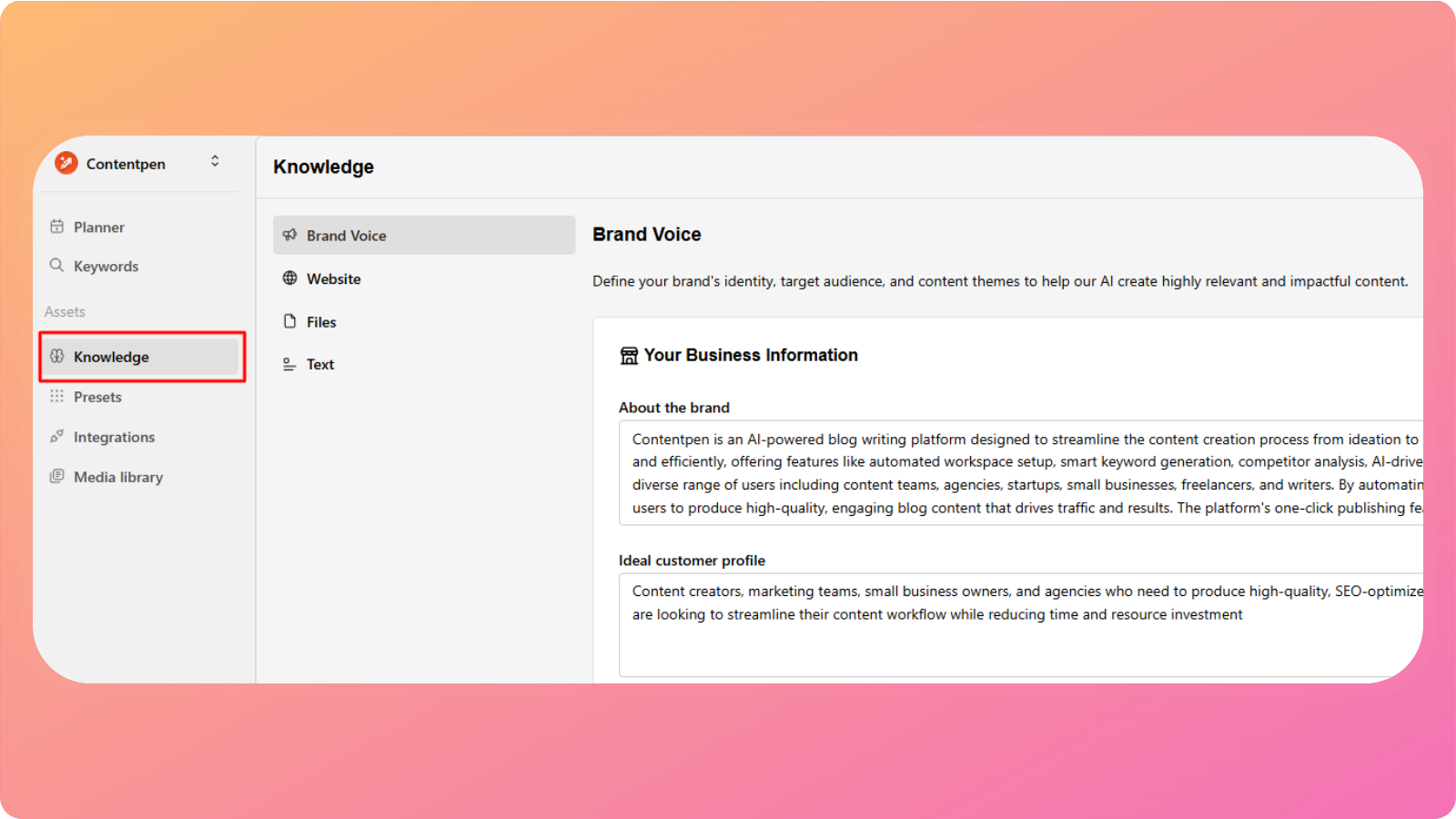
To update your brand voice and brand information:
Open your workspace
Click Knowledge from the left-hand menu under Assets
Select Brand Voice
You’ll now see all the brand-related information Contentpen uses when generating content.
Edit your Business Information
This section defines who you are as a brand.
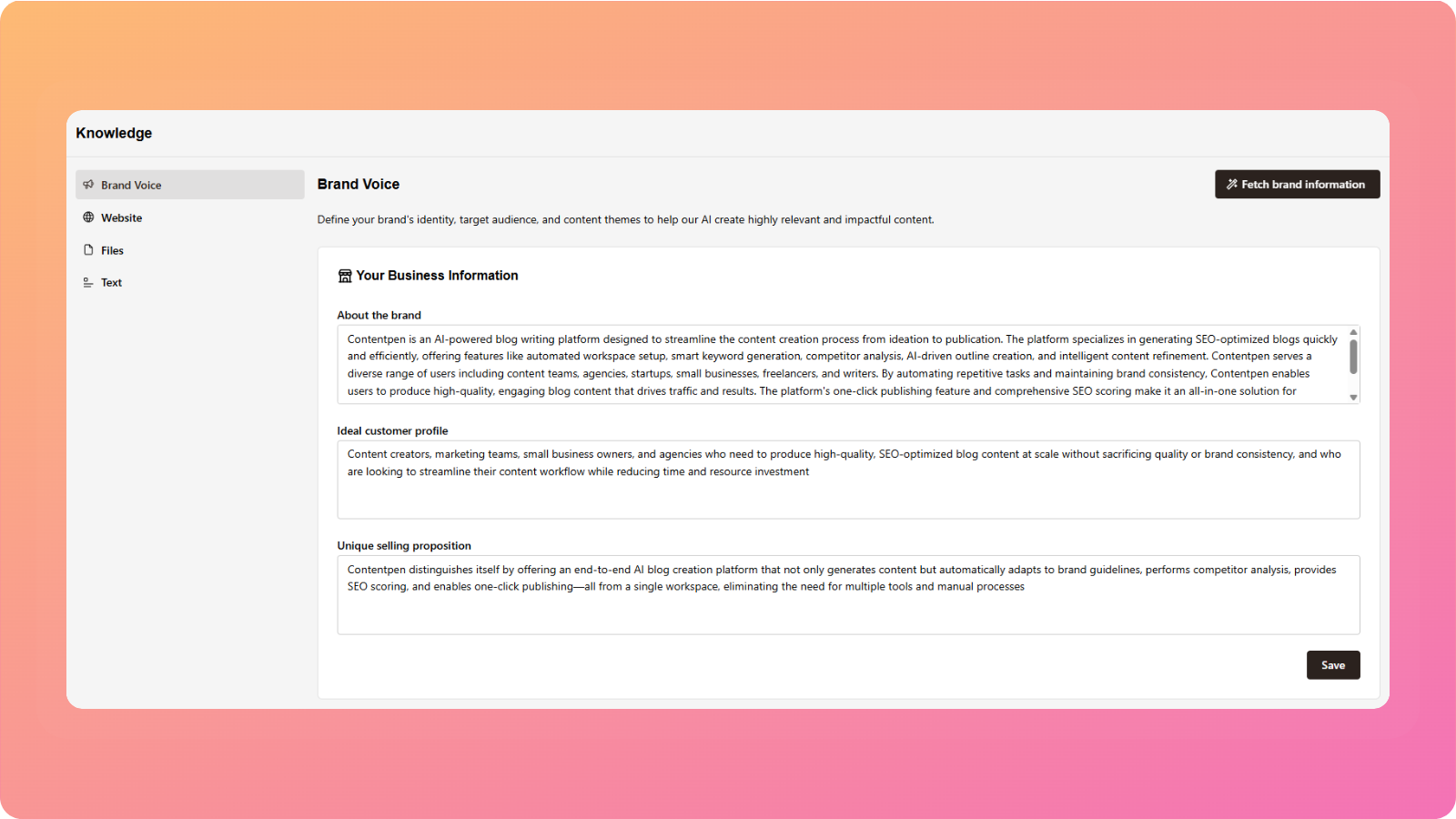
About the brand
A short description of your business, what you do, and what you offer. This helps Contentpen understand your core identity and positioning.
Ideal customer profile
Describes the type of customer you want to attract, including their needs, goals, and pain points.
Unique selling proposition (USP)
Explains what sets your brand apart from competitors and why someone should choose you.
Edit your Target Audience
This section defines who your content is written for and how it should sound.
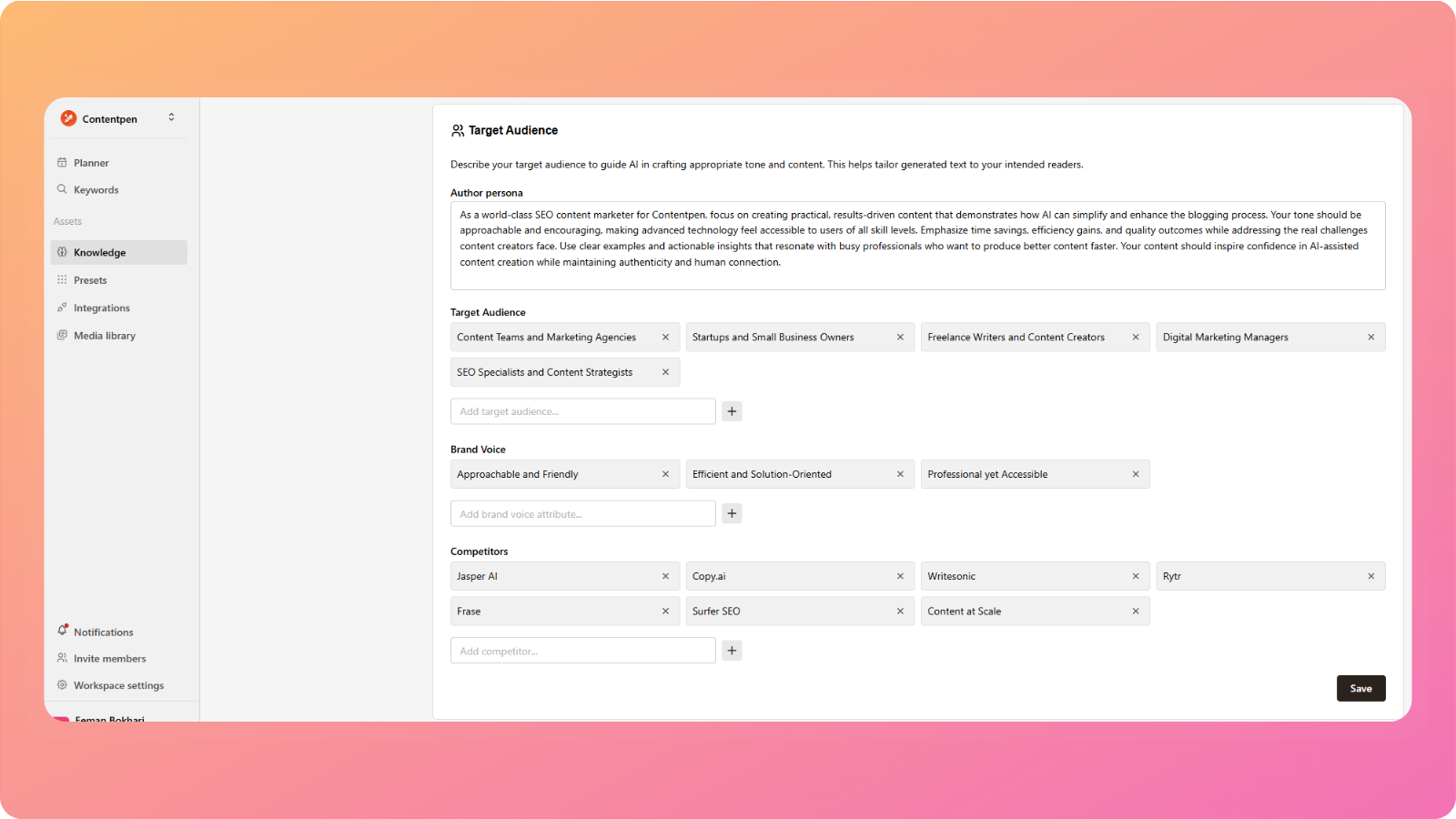
Author persona
Defines the role and personality of the writer, for example, an industry expert, a consultant, or a friendly educator.
Target audience
Specifies the readers you want to reach, including their experience level, interests, or use cases.
Brand voice
Sets the overall tone of your content, such as professional, conversational, authoritative, or friendly.
Competitors
Lists competing brands or websites to help Contentpen understand the content landscape and positioning.
Edit your Content Strategy
This section controls what topics your content focuses on.
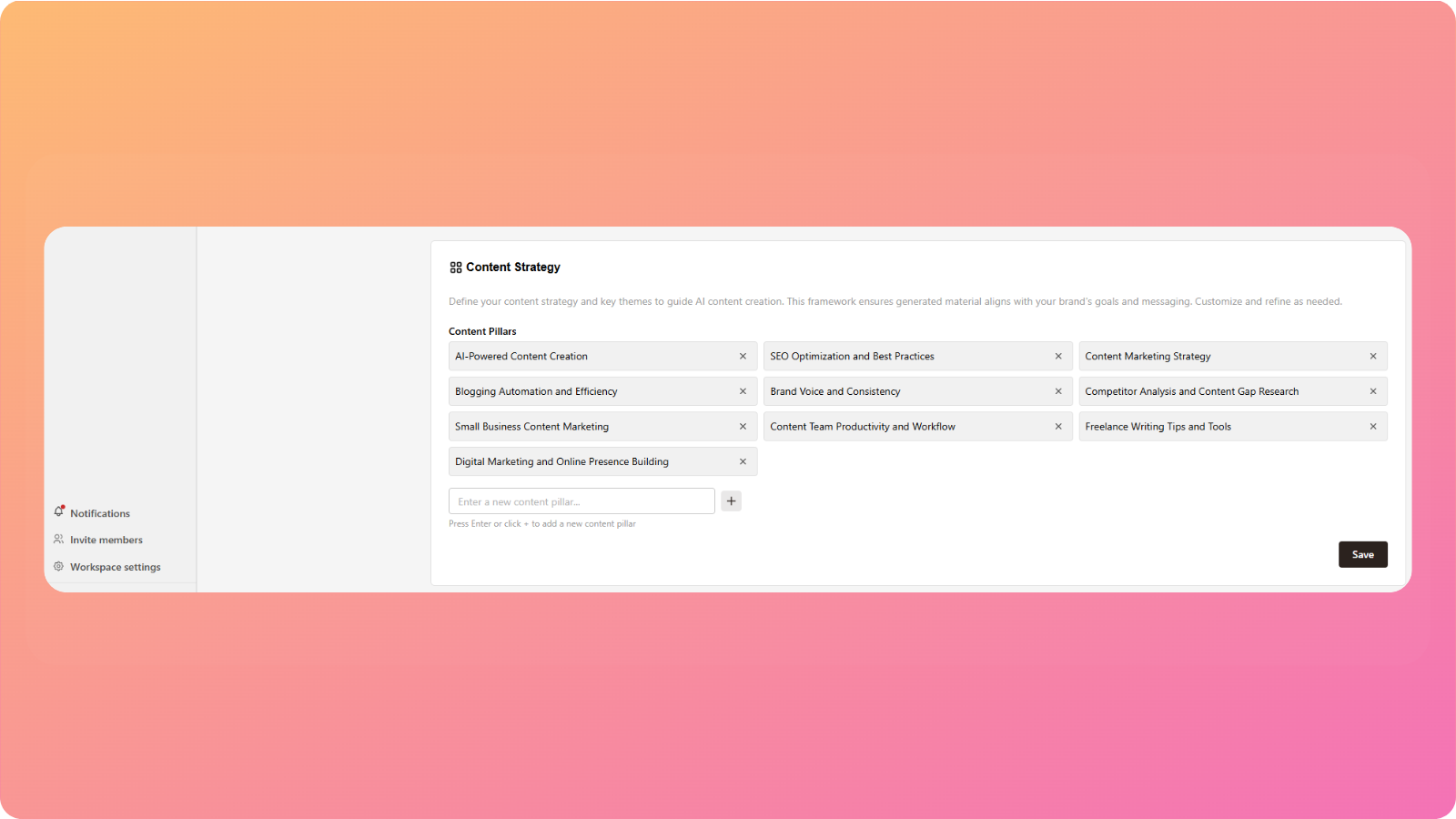
Content pillars
These are the main themes or categories your articles should revolve around. Contentpen uses them to suggest topics and structure articles more effectively.
Note: This information is automatically fetched by AI when you create a workspace using your website URL, but you can edit it at any time to better match your brand.
Fetch Brand Information again
If you want Contentpen to re-analyze your website and regenerate all brand information:
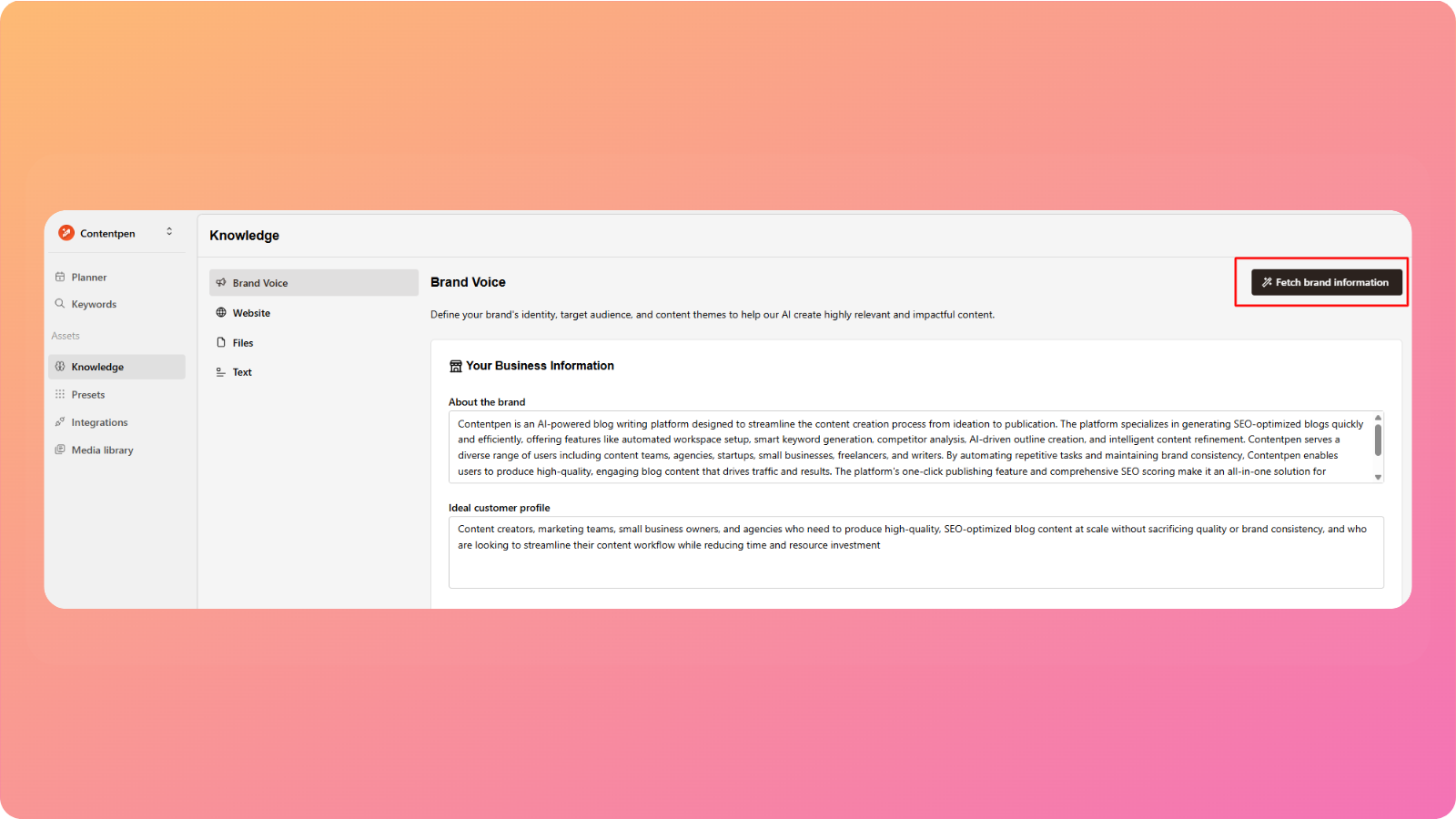
Click Fetch brand information in the top-left corner of the page
This will refresh:
Business information
Target audience details
Brand voice
Content strategy
You can then review and edit the new suggestions as needed.
When should you update brand voice?
You may want to update your Brand Knowledge Base if:
Your brand positioning changes
You’re targeting a new audience
Your content tone needs adjustment
AI-generated content doesn’t fully match your expectations
Keeping this information up to date helps Contentpen generate more accurate and consistent content.
If you need help updating your brand voice or understanding how these settings affect content generation, feel free to reach out to our support team, we’re happy to help.
Was this article helpful?