
One-click publish
Contentpen allows you to publish articles directly to your connected CMS with just a few clicks. Once your CMS is integrated, you can send finished articles live without leaving the editor.
This guide explains how to publish an article using the one-click publishing feature.
Before you publish
To use one-click publishing:
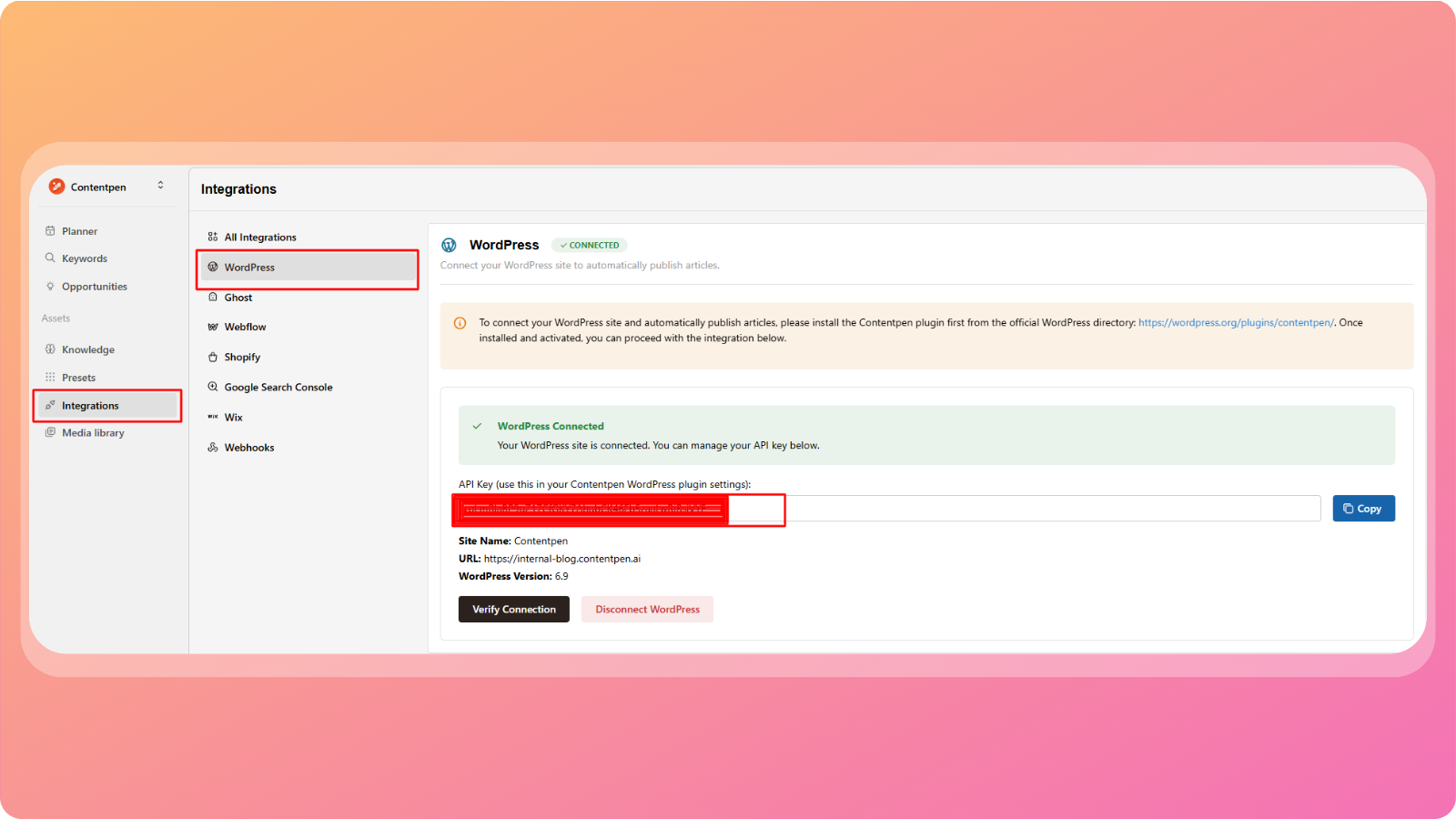
You must have a CMS (such as WordPress) already connected to Contentpen
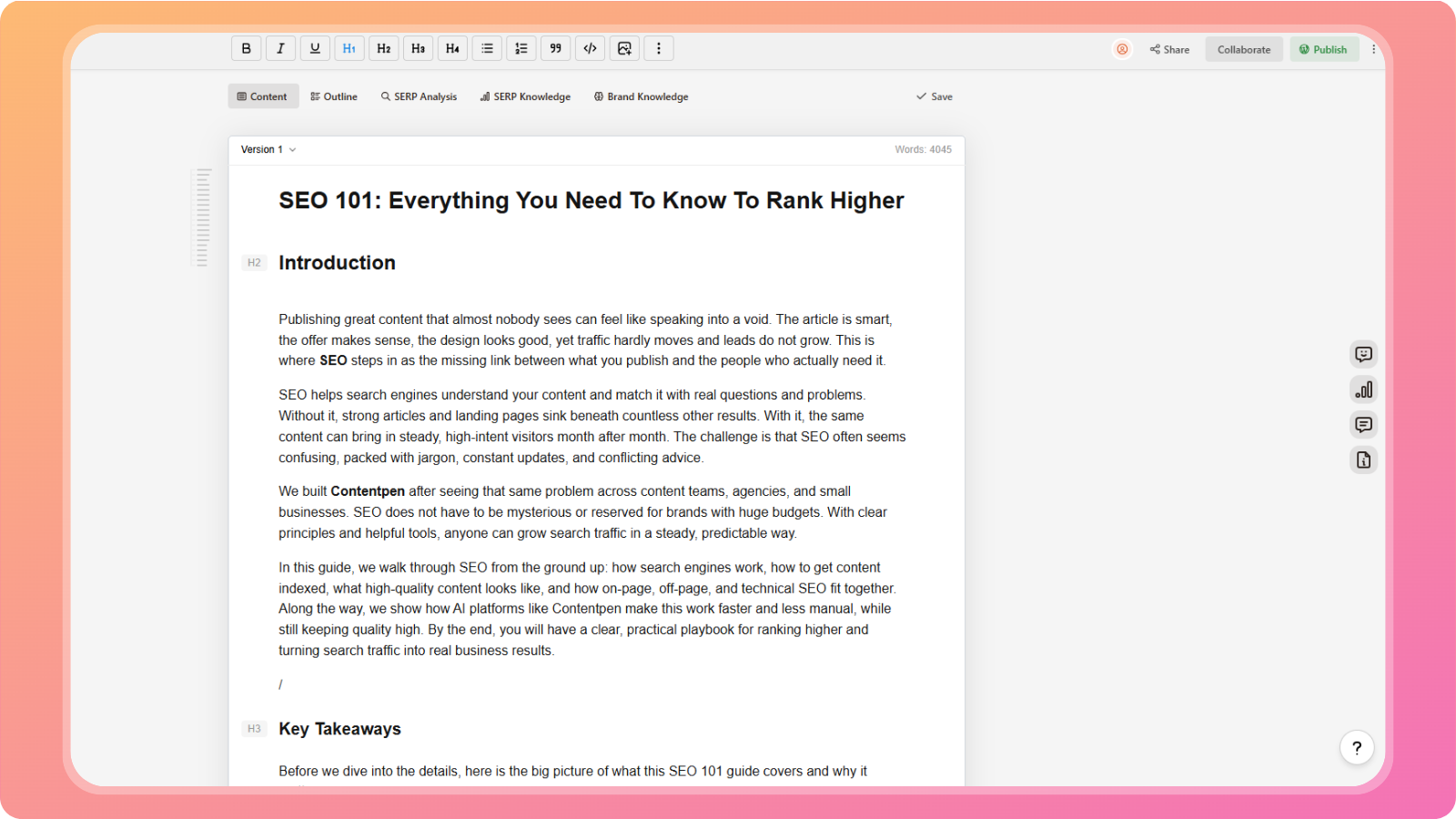
Your article should be fully generated, reviewed, and finalized in the editor
If no CMS is connected, the publish option will not be available.
Publish an article
Once your article is ready:
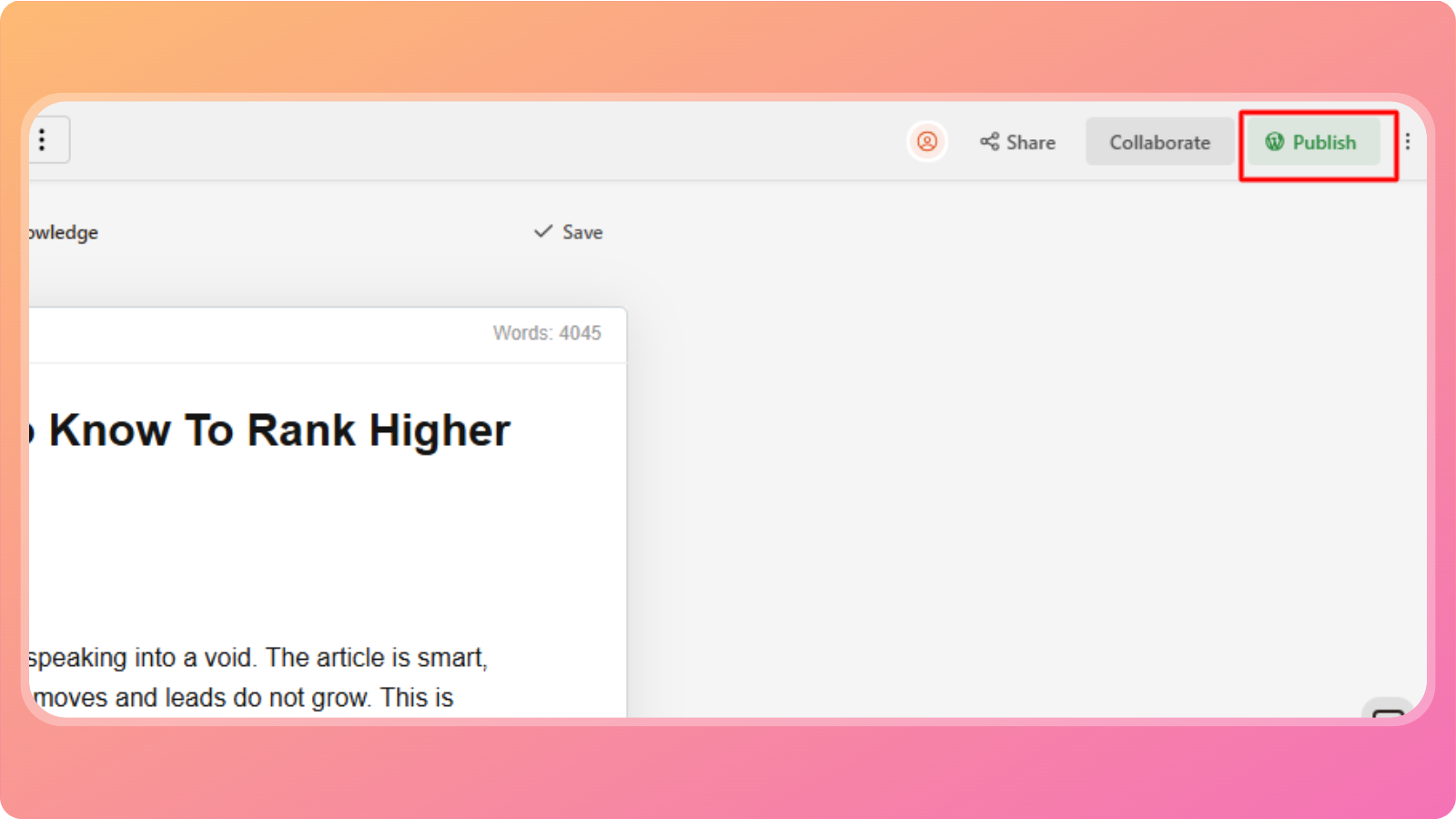
Open the article in the Live Content Editor
Click the Publish button in the top-right corner of the screen
A publishing panel will appear with publishing options
Choose publishing details
When publishing, you can control how the article appears in your CMS.
Author
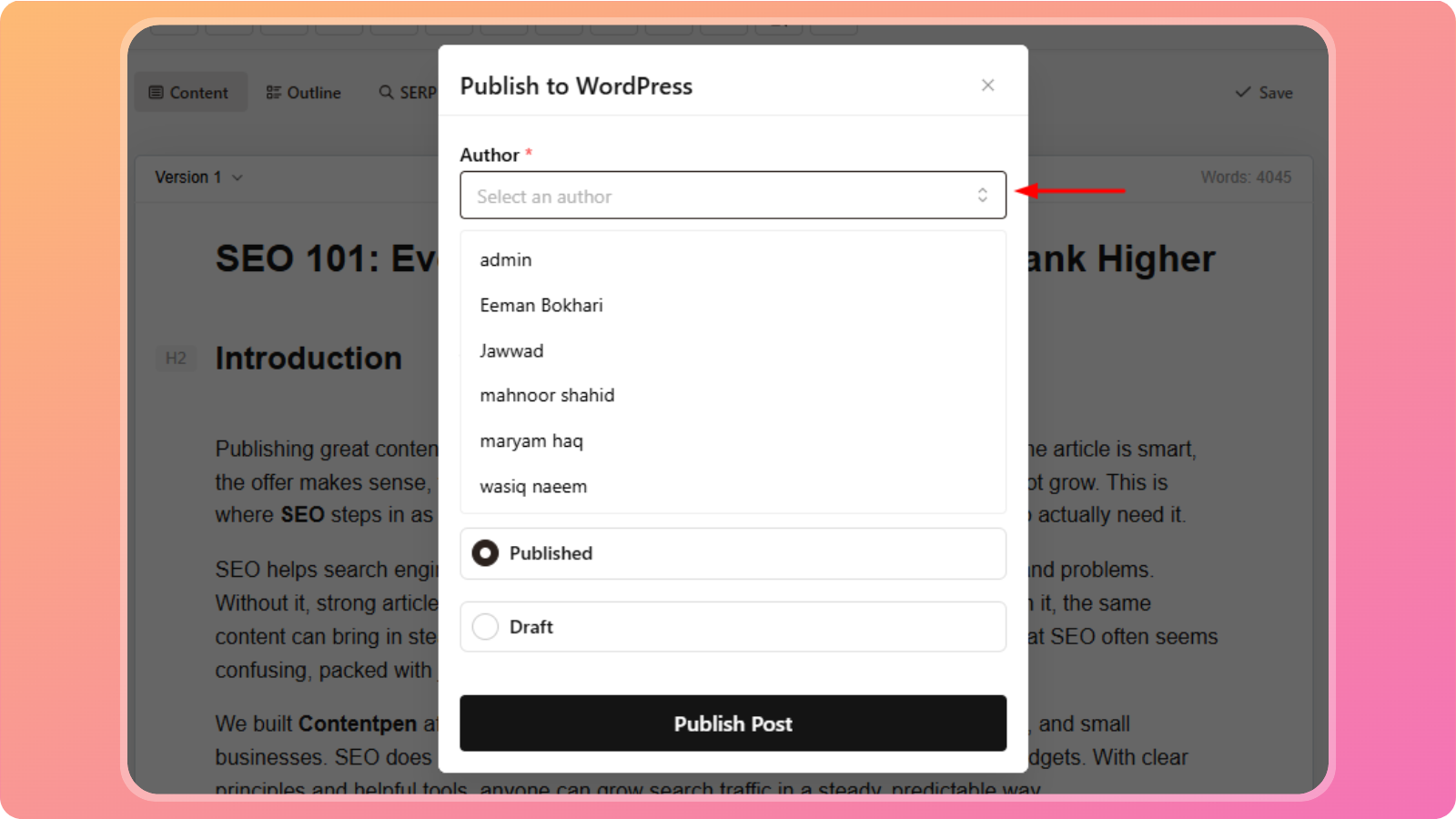
Select an author for the article.
The list of authors is automatically fetched from your connected CMS.
Categories
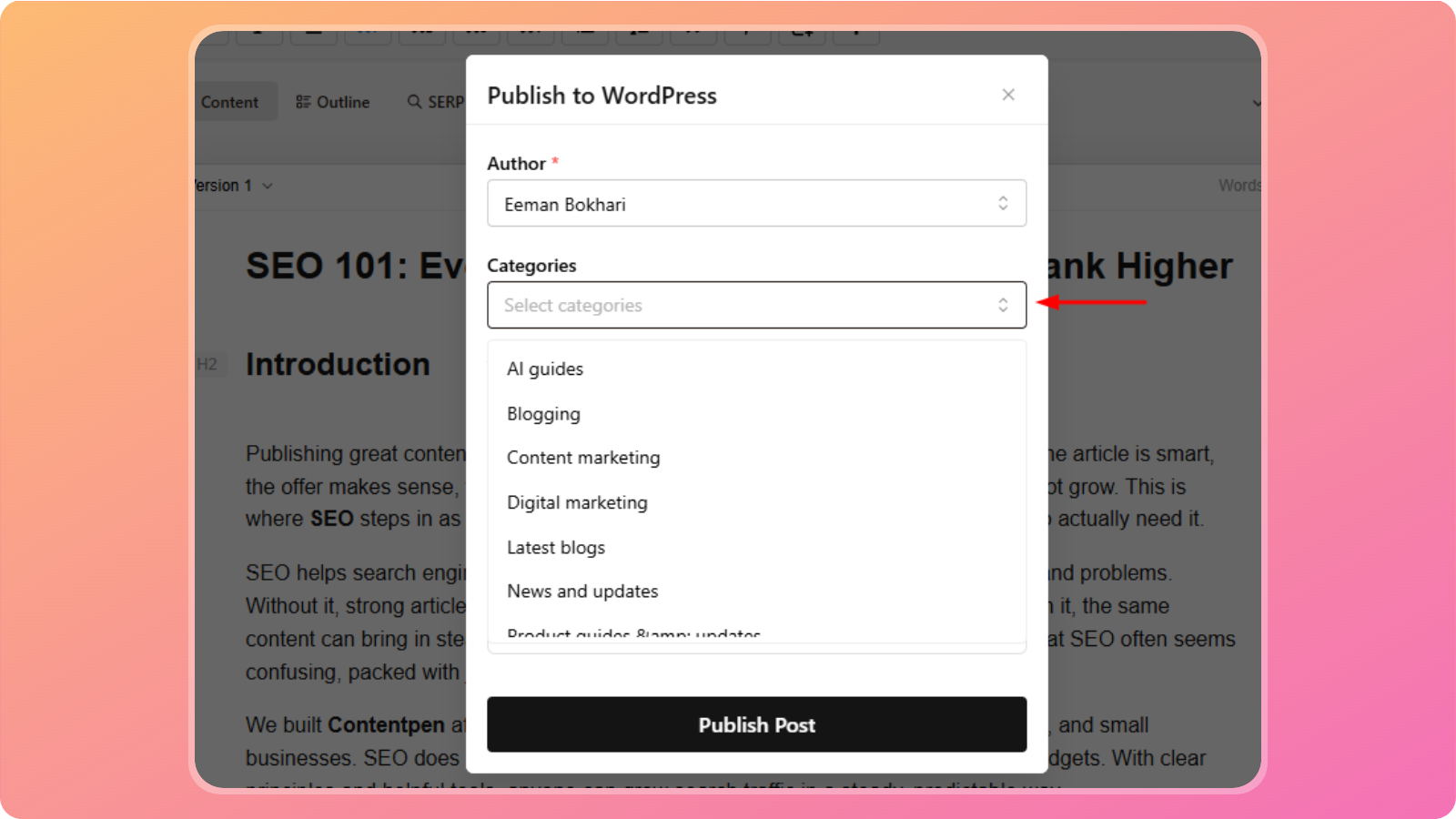
Choose one or more categories to publish the article under.
These categories are pulled directly from your CMS.
Tags (optional)
Add relevant tags to help organize and classify your content inside your CMS.
Posting status
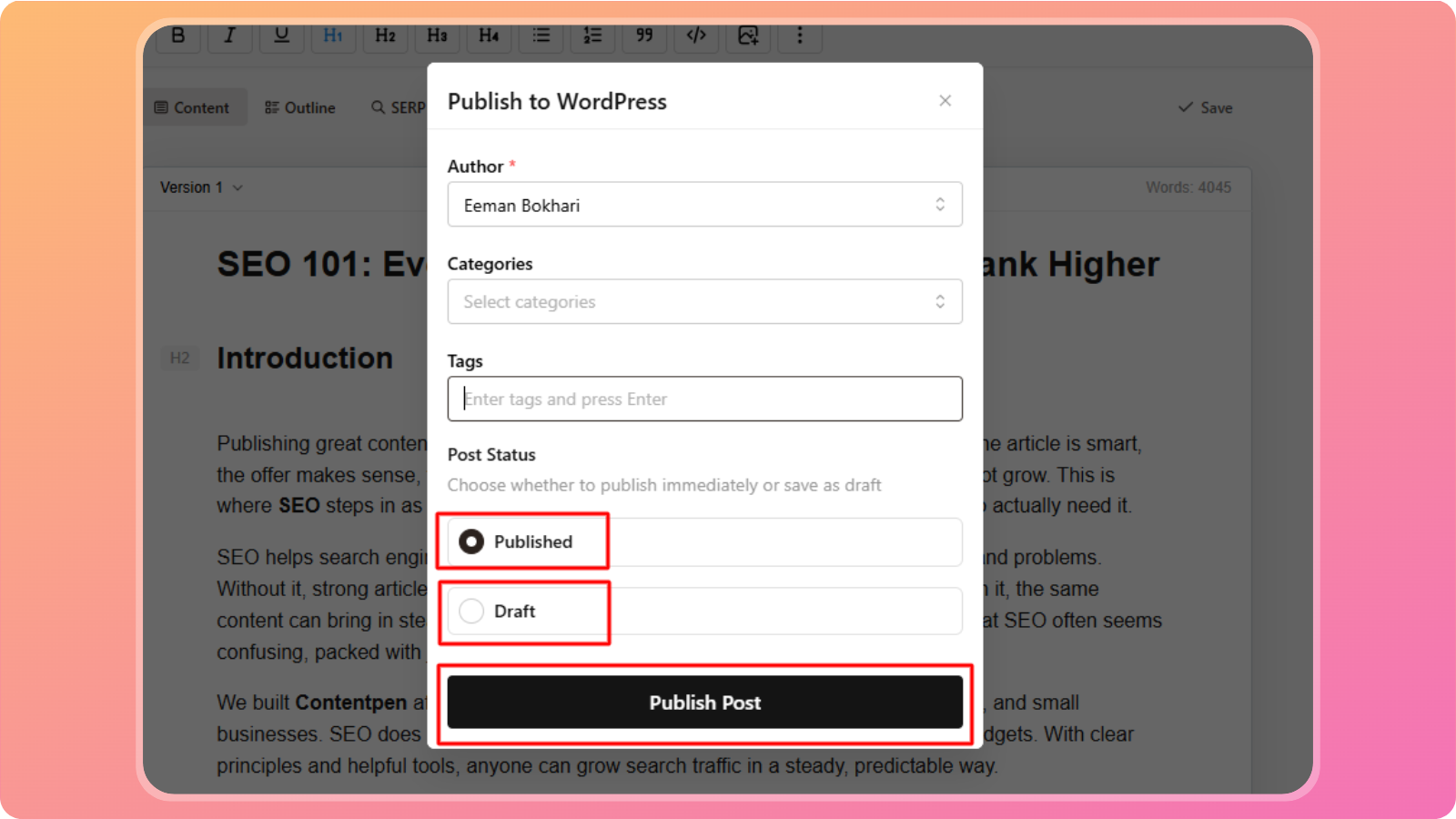
Choose how the article should be published:
Publish immediately – The article goes live right away
Save as draft – The article is sent to your CMS but kept as a draft for later review
Complete publishing
Once all details are selected:
Click Publish
Contentpen will send the article to your CMS using your chosen settings
You can then view or manage the article directly from your CMS dashboard.
Best practices
Review formatting and links before publishing
Double-check author and category selections
Use draft mode if you want a final review inside your CMS
One-click publishing helps you move from content creation to live publishing without extra steps or manual copying.
If you run into any issues or need help with publishing, feel free to reach out to our support team, we’re always here to help.
Was this article helpful?