
Choose how much Autopilot does on its own
Decide how much Autopilot does without asking you. You set it separately for new articles and for refreshes of articles you already have, so you can review every change to an existing page while letting new articles flow.
Before you start: Autopilot is set up. You first make this choice during setup, and you can change it any time.
Change how much Autopilot does
Open Autopilot and click the Settings tab.
Scroll to How much it does on its own.
Pick one option for New articles and one for Refreshes to existing articles.
Click Save changes.
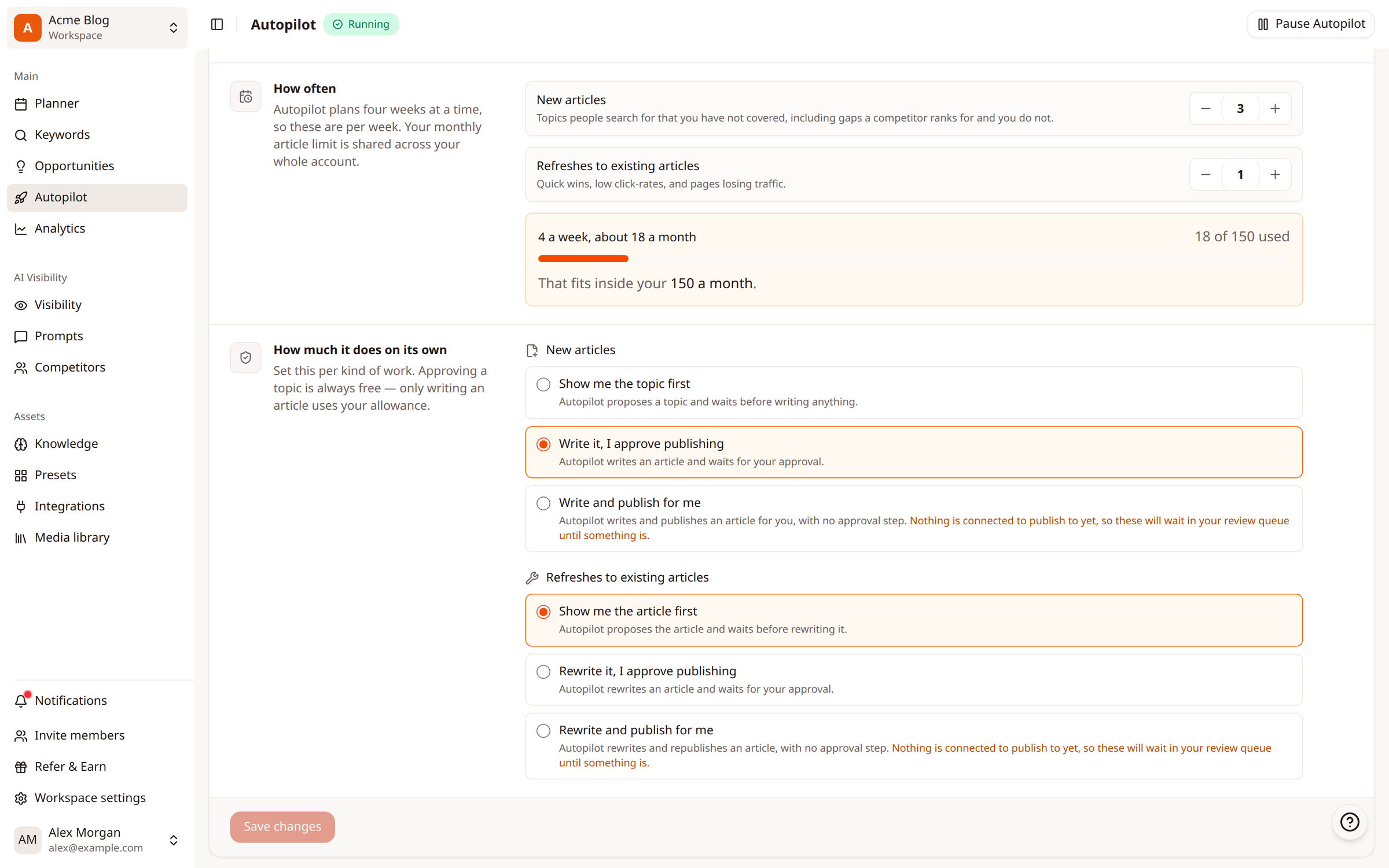
What each option does
New articles
Option | What Autopilot does |
|---|---|
Show me the topic first | Suggests a topic and waits before writing anything |
Write it, I approve publishing | Writes the article, then waits for your approval |
Write and publish for me | Writes and publishes the article, with no approval step |
Refreshes to existing articles
Option | What Autopilot does |
|---|---|
Show me the article first | Suggests the article to refresh and waits before rewriting it |
Rewrite it, I approve publishing | Rewrites the article, then waits for your approval |
Rewrite and publish for me | Rewrites and republishes the article, with no approval step |
Good to know
Approving a topic is always free. Only writing an article uses your allowance.
Write and publish for me and Rewrite and publish for me need a connected site. Without one, finished articles wait in your Review queue until you connect one.
Not sure where to start? Show me the topic first gives you the most control.
Related
Was this article helpful?